

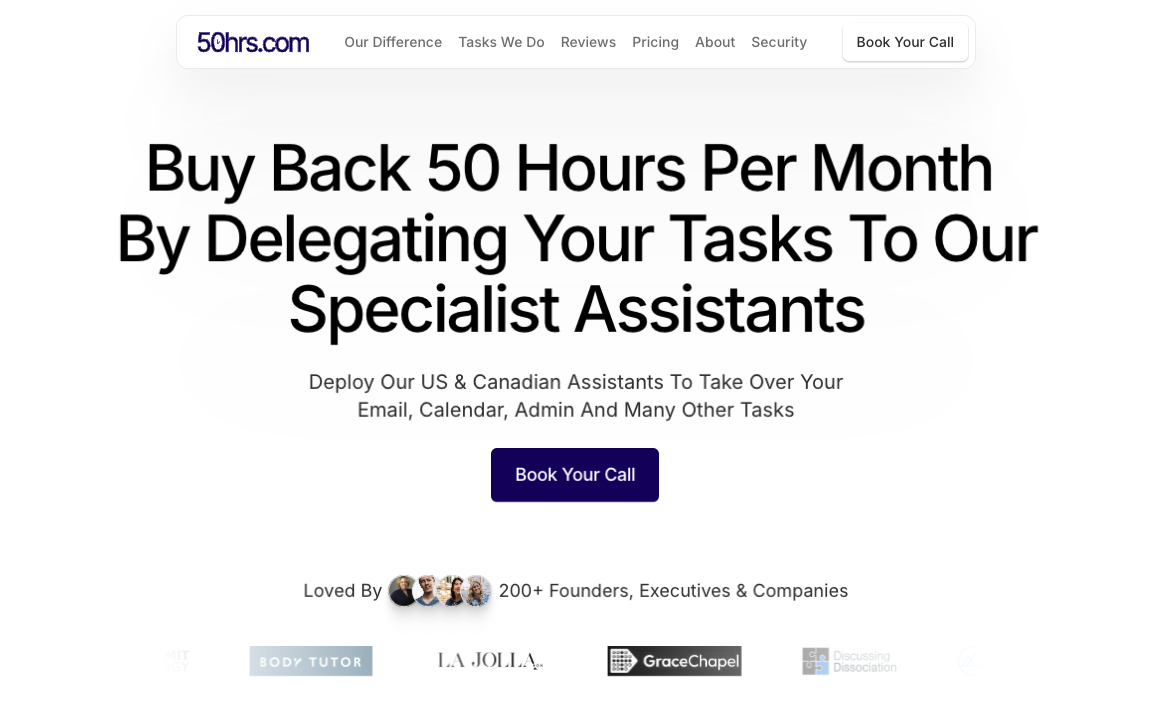
I'm excited to announce that the first release of our new website and brand - 50hrs.com - is now live.
This new brand is a spin-off from InboxDone.com, the company I started with my co-founder Claire all the way back in 2017.
InboxDone has grown to a team of 80 executive assistants who specialize in email management.
While we are specialists at managing email for many different entrepreneurs, in reality we take on a far wider range of tasks.
What starts with an email often turns into various action items - from updating a CRM, scheduling a meeting, turning meeting notes into a task list, chasing up leads over text and DMs, issuing an invoice, preparing a report, researching data for a proposal, planning an event, replying to a social media message, uploading images and videos to social media, adding emails to an autoresponder, following up with failed payments - the list goes on and on.
Yet, because of our company name and very clear positioning around email, many people were surprised to know we do so much more.
This email specialization has been fantastic for us to stand out from a very busy industry of executive assistant service providers, but also means if email is not your main problem you don't consider us as the assistant you need.
This is why 50hrs.com was created.
This is a new website, part of a marketing campaign that will promote us as premium assistant service provider, but it is not a new business.
Behind the scenes it is the same team, the same hiring and training processes designed to recruit and develop the best American and Canadian assistants.
However rather than focusing on the very narrow message of email management, 50hrs.com hits right at the nerve of what busy business owners and leaders want, to get back 50 hours of their time per month, by delegating all their day-to-day operational tasks to our assistants.
Yes that still includes delegating email and calendar scheduling, usually the starting point to free up time, but we can now have a place to show case the broader range of tasks we do.
For example, here's a list of tasks our assistants have done for our clients:
Daily Operational Tasks
Protect Time: Route questions, information requests, meetings away from senior executives (CEO, COO, CTO, etc) to other team members
Research: Use AI to conduct research, compile reports, source and format data, create slide presentations
Schedule Calendars: Handle confirmations, re-scheduling, take meeting notes and turn them into tasks, use tools like Calendly, Reclaim.ai to automate scheduling
Email Management: Write and send replies, bring critical emails to attention, turn emails into tasks, inbox zero every day
Email Backlog: Sort through email backlogs of as much as 100,000 emails, labeling, archiving, resending responses (if needed), and highlighting important messages
Phishing/Spam: Stay vigilant for phishing scams, spam, identify theft, report incidents
Project Management: Track projects and to-dos in tools like Basecamp, Asana, Monday, ClickUp, Trello
Task Management: Update CRMs, task-management software
Payments & Subscriptions: Set up recurring payments and invoices, track failed payments, followup with overdue invoices
Documentation/SOPs: Create SOPs for multi-step processes in tools like ClickUp, Notion, monitor team members and contractors to ensure accurate SOP implementation
Knowledge Base: Collect every asset, SOP, template needed to perform all tasks in one digital repository
Curate/Summarize Content: With help from AI provide summaries of social media, news, podcasts, industry journals, mainstream media, newsletters
Bookkeeping: Chase up receipts and payments from clients and vendors
Payroll: Manage employees using ADP, JustWorks, Paychex, generate 1099’s using CCH and CFS
Expense Reporting: Create expense reports for business entities using tools like Expensify
Employee Healthcare: Maintain and update employee healthcare plans and facilitate communication with healthcare vendors
Credit Cards: Pay balances, monitor costs, generate reports for accounting purposes
Pay Bills: Make payments, avoid late fees, use tools like Checkbook.io, Paypal, to pay vendors, contractors, suppliers
Financial Reports: Draft monthly management reports for C-suite using Google Sheets to deliver monthly sales data, sign-up info, financial reporting
Filter Pitches: Review pitches or proposals, filter only the best to the top based on set criteria
Marketing & Sales
Presentations: Use AI design tools such as Canva, Decktopus, to design slides, graphs, charts, source data
Sales Calls: Use AI to book calls and confirm attendance for each step in sales process, take notes and turn them into action items
Sales Automation: Use AI and automation tools to send followup emails, texts, calls, social media messages, track response rates and keep leads warm
Contacts Management: Collect and maintain key stakeholder information, use AI tools to research new contacts
Pitches & Proposals: Produce proposal documents, collect data and content for sales pitches
Proofreading: With help from AI tools like Grammarly, review reports, web content, press releases, documentation, proposals, letters, whitepapers, guides, any content
Translation/Captions: Use AI to generate translations and captions of any content
Content Production: Use AI tools to create articles to help with marketing, sales, product guides
SEO: Use AI tools like SEOBot to create content and conduct keyword research to rank higher in search engine results
Google Reviews: Request reviews from clients, respond to new reviews, manage Google company page
Social Media Replies: Reply and manage DMs in LinkedIn, Facebook, Instagram, Messenger, social posts and paid ad replies
Publicity/Press: Manage press contacts, podcast interviews, provide/collect photos, bio, contact details and content for media releases
Influencer Research: Use AI tools and platforms to research YouTubers, Podcasters, Social Media personalities, to create contact lists for outreach and ad campaigns
LinkedIn Outreach: Use Sales Navigator to identify prospects, send messages and book calls with leads
Cold Email Outreach: Use AI tools like Instantly to find contacts and send email sequences to book calls
Celebrity Outreach: Generate a contact list of relevant celebrities using IMDb Pro, ContactAnyCeleb, bookingagentinfo.com, RocketReach and Google Research
Podcast Interviews: Contact podcast hosts to secure invites to speak as a guest
Email Newsletters: Use AI writing tools and newsletter automation software like Active Campaign, Beehiiv, Kit, MailChimp, add and remove contacts, set up automation rules
Marketing Metrics: Pull data from Google Ads, Google Analytics, Meta Ads, Microsoft Ads, etc, and provide performance reports
Track Referrals: Monitor leads and new clients to determine referral sources
Processes
Product Upgrades: Contact customers with special deals, upgrade opportunities, VIP experiences, new product releases
Logistics: Track and query status on shipments, delivery times, handle returns, broken and lost items
Manufacturing: Research suppliers, obtain quotes, present summary of production options
Manage Students: Support students in learning platforms like Kajabi, Thinkific, LMS
Customer Success: Track customer progress, monitor KPIs, conduct check-in calls
FAQs: Produce and maintain internal and external FAQs in Notion, Scribe, Docs
Recruitment: Review and screen job applications in Indeed, Glassdoor, LinkedIn to create shortlists for potential hires
Evaluate New Hires: Review and evaluate applications for various company roles, determine a “score” for each candidate based on predetermined criteria
Staff Training: Source and schedule experts, speakers, authors and consultants to train staff on latest trends, skills, technologies
Research Software: Test software and recommend best solution for your situation
Budgets: Plan budgets, track expenses for events, projects, training programs
Book Research: With help from AI, conduct research for a book, conduct surveys, interview experts and format content into chapters, references
Audits: Supply requested information to IRS, govt departments, audit requests
Funding: Secure funding from investors, qualify for grants, win competitions by creating documents, presentations, datastores, completing application forms
Acquisitions/Mergers: Assist with due diligence information gathering, verify data
Manage Overseas VAs: Assign tasks and coordinate other virtual assistants to ensure tasks are completed correctly, on time and to budget
Legal/Compliance: Help to prepare legal forms, collect relevant client information for compliance purposes
Lawsuits: Keep track of key communication that may need to be referenced in case of a lawsuit
Tax Documents: Compile information for tax returns, generate signature forms, using tools like ProSeries, UltraTax, and CCH
IRS Communication: Handle IRS and State notices by collecting information and faxing it to the IRS/State using HelloFax
Communications
Project Coordination: Coordinate with your team to keep projects moving forward
Client Onboarding: Generate engagement letters, deliver welcome materials, conduct introductory calls, encourage participation to reduce cancellations/refunds
Team Chat: Integrate with your team using Slack, MS Teams
Identify Bottlenecks: Track communication between executives, sales, production, and customer success teams to identify bottlenecks
Email Automations: Use inbox tools like Front, Superhuman and AI solutions like Fxyer, to make email more efficient, collaborate with team members in the inbox
Team/Vendor/Prospect Meetings: Prepare pre-call summary about every attendee, notes about meeting purpose, confirm attendance, create to-dos based from recording
Text Messages: Send SMS/Text/Whatsapp/Facebook messages to communicate with prospects, clients, team members, vendors, family
Voicemails: Listen to recorded voicemails to extract relevant information, create tasks and communicate key details
Coordinate With Staff: Route appropriate information to team members, query internal staff to solve problems independently
Voice Messaging: Send and receive voice recordings to communicate tasks, pass on information, work with the team
Curate Reports/Newsletters: Compile newsletters, Salesforce reports into one document, deliver to WhatsApp daily, add review time to calendar
Community Moderation: Moderate Facebook groups, Skool communities, forums, reddit, to reduce spam, support clients, generate leads
Customer Support: Respond to all customer support queries using helpdesk tools like FreshDesk, ZenDesk, Intercom, etc
Livechat: Provide livechat support using tools like Intercom, Zoho, LiveChat.com
Physical Mail: Monitor virtual PO Box, bring to attention important letters
Accountability: Use Notion, Motion, to keep track of due dates for each team member’s tasks and follow up when tasks not marked as “complete” yet
Travel & Family
Travel Planning: Find best flights, hotels, airbnbs, arrange transportation
Events: Research locations for conferences, team retreats, organize food, transportation, speakers, hotels
Activities: Arrange dinners, lunches, sports events, team bonding activities, tours
Trade Booths: Organize materials for trade booths, banners, lighting, presentations, branded clothing, promo materials
Phone Calls: Call banks, doctor/dentist offices, children’s school, caterers, restaurants, hairdresser, barber, tailor, etc to make appointments, place orders
Boards/Charities: Provide updates and maintain calendar for charity commitments and board participation
Family/Household: Reply to requests from school, childcare, after school activities, house maintenance, cleaners
Property Management: Communicate with tenants, building contractors, real estate agents, mortgage brokers, fill out mortgage application documents
Presents: Order gifts for holidays, anniversaries, retirements, promotions, employee rewards, family birthdays
Personal Activities: Schedule and coordinate non-work activities such as music lessons, personal training, cooking classes, date nights, weekend getaways
Family Calendar: Maintain shared family Gmail calendar for kids’ sports, band, school, and religious activities so parents know where kids need to be
Christmas Party: Arrange all details for annual christmas party, venue, food, gifts, entertainment
As you can see, there's a lot here beyond just email!
I spent several months working on the copy for the website and then coordinating with the web designer to get it live, this time using the Framer website builder.
Next we will continue to build out more content and establish a reputation for the 50hrs.com brand online.
I feel better knowing we will have a destination to send people who need email specialists, and a brand to represent the broader scope of what we can do, if email is not the main need.
Yaro